Quickstart — Department Head
You're a T2 role with read-only access across everything. Department heads (Gaffer, Key Grip, Sound Mixer, Wardrobe, HMU, etc.) need awareness of the production state but don't make writes inside Grace day-to-day — your work happens on the floor or in your own tools.
What you can do here is keep current on what's happening, what's coming, and what crew/cast are on call.
What you see
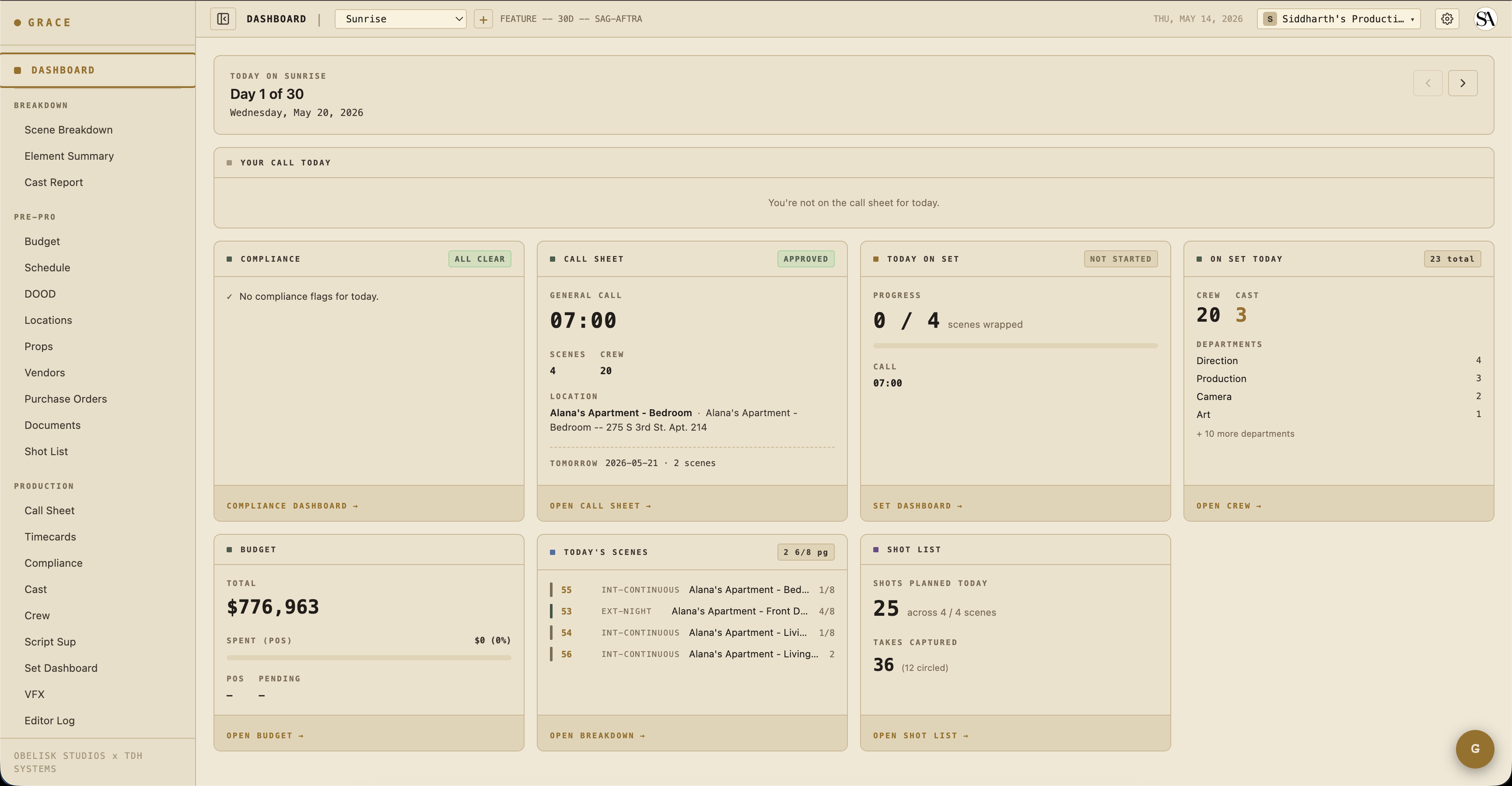
Open the per-production dashboard at /dashboard/production for the show you're working on. Your view has:
- Day Header + Your Call Today — what you're called at, where the location is.
- Today's Scenes — what's being shot, page counts, time of day.
- Today on Set — live status of the strip timeline.
- Crew/Cast on Set — who's working today, by department.
What you do day-to-day
Mostly: check the call sheet the night before to confirm your call time, scenes, and dept notes. Then check the set dashboard mid-day if you're curious about how the day is running.
For your specific department:
- Sound Mixer — open On-Set → Set Dashboard during the day to see live strip status. (Sound-specific tools like wireless frequency planning aren't in Grace yet — they're on the roadmap.)
- Wardrobe / HMU — Coverage → Script Sup shows continuity notes per element. Your dept's notes are tagged with the capturing department (HMU, Wardrobe, etc.).
- Gaffer / Key Grip — same set dashboard view. Lighting plans aren't in Grace yet either.
- Locations / Transport — Schedule & Locations → Locations for addresses, hospital, parking.
What you can write to
By default, T2 dept heads have read-only access to everything. The Producer can grant per-section write overrides if you need them — for example, "Wardrobe HoD also needs write on character_looks" → Producer adds an override on your crew row. See Access control.
You'll always be able to write to:
- Your own creative refs (Creative Prep → Creative) — see the creative refs section.
What you can't do
- Edit the schedule, call sheet, budget, or crew roster — those are owned by UPM / 1st AD / producer.
- Invite or remove people — that's the producer.
If you need access you don't have, ping the producer or AD and they can override or invite you with broader permissions.
Next reads
- Per-production dashboard — what every card means.
- Access control — what your tier sees by default and how overrides work.