Pre-production
Once your breakdown is committed, pre-production is everything you do before the first shoot day: lock the schedule, build the budget, scout and capture locations, gather props, plan shots, log every document. This page walks each module top-to-bottom.
Schedule
/dashboard/pre-pro/schedule. The strip-based shooting schedule.
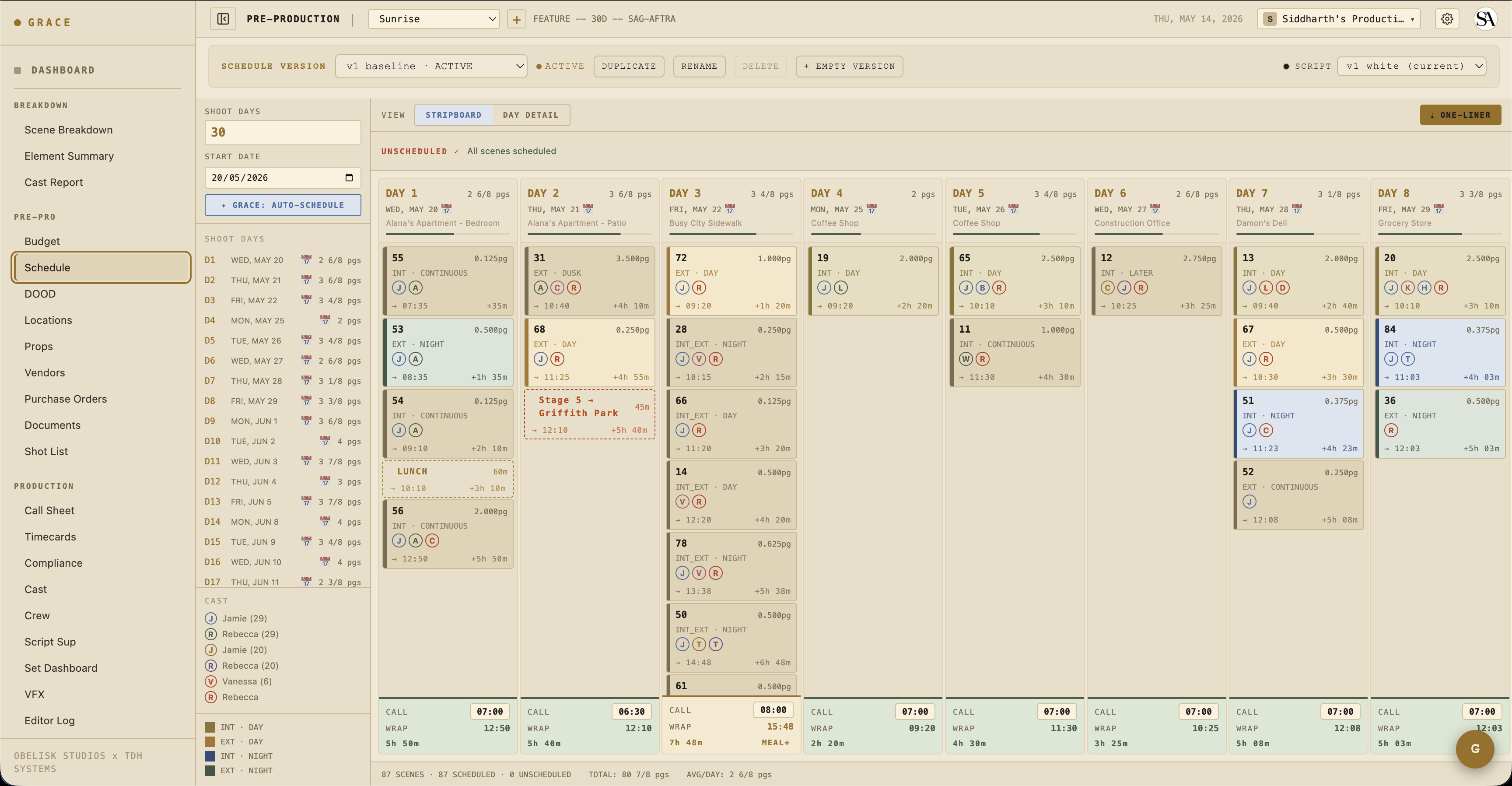
Grace creates strips automatically when you commit the breakdown — one strip per scene, in script order. From here you drag strips between days, add lunch strips, add company-move strips, add second-unit / stunt-rehearsal / travel rows.
Each strip carries:
- Strip type — scene / lunch / second_meal / company_move / day_start / second_unit / stunt_rehearsal / travel / custom.
- Scene reference — for scene strips, the FK to the scene.
- Duration — minutes. Auto-computed from
pageCount × pace, override-able. - Color — INT-DAY / EXT-DAY / INT-NIGHT / EXT-NIGHT for scene strips; user-set for non-scene.
- Notes — free-form, surfaces on call sheets.
Day clock
Each day's wrap time is computed from generalCall + sum(strip durations + prep/move overlap). The total includes per-scene prep (lighting / makeup / art-dept / grips-rigging), which is what makes the wrap time honest. Pre-2.5 versions counted shoot-only and under-estimated mornings; current code includes prep + shoot per scene strip.
Versioning
Behind the scenes, the schedule lives in a schedule_versions row. Every production gets a v1 at script commit time. If you fork the schedule on a revision commit (or via the artifact version bar on the page), you create v2 / v3 / etc. — useful for "what if we shoot the diner scene before the gas station scene" what-if planning. Only one version is active per production at a time.
Budget
/dashboard/pre-pro/budget.
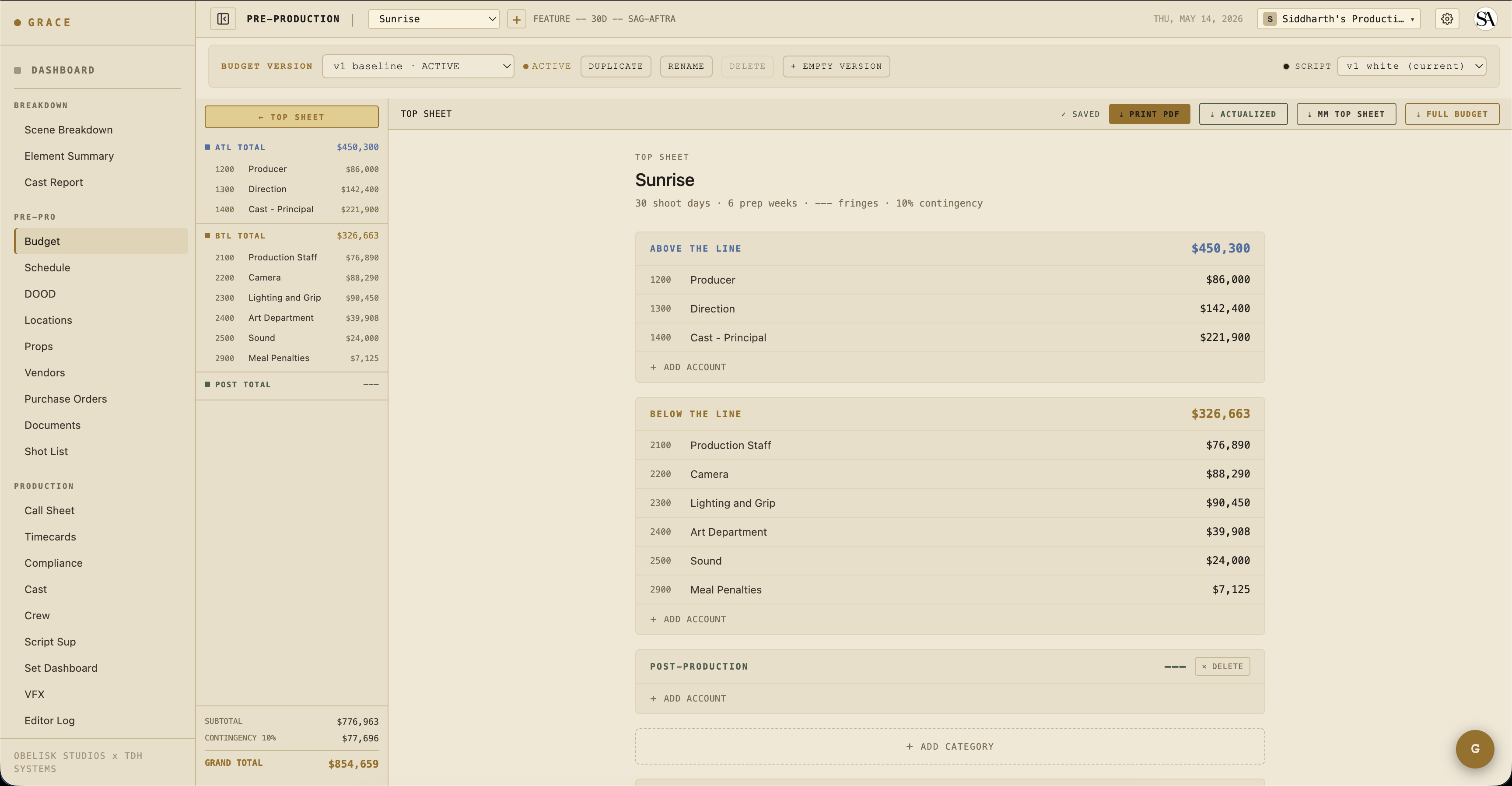
The default budget is LA IATSE 2025-2026 rates, populated automatically when a script is committed. The structure is four levels:
category → account → line → item
Items hold the actual numbers (units, rate, fringe percent). Lines group items. Accounts group lines. Categories group accounts.
Per-item flags
Each item is either grace (cascades automatically) or manual (locked from Grace cascades):
- A
graceitem with rate$2,500per day on a 30-day shoot updates automatically whenshootDayschanges. - A
manualitem never re-cascades — what you typed is what stays.
The cast-units cascade is one of the most useful: items linked to a cast member's workDays count automatically. If you adjust a cast member's work days, the budget line follows.
Versioning
Same artifact-version pattern as schedule. Each production has a budget version. Fork on revision commit for "let's see what cutting day 18 would do to total."
Actuals
POs roll up to budget actuals automatically. The Budget Snapshot card on the per-production dashboard shows total committed (PO sum) vs total budget. Hover the percent bar for breakdown.
DOOD (Day Out of Days)
/dashboard/pre-pro/dood.
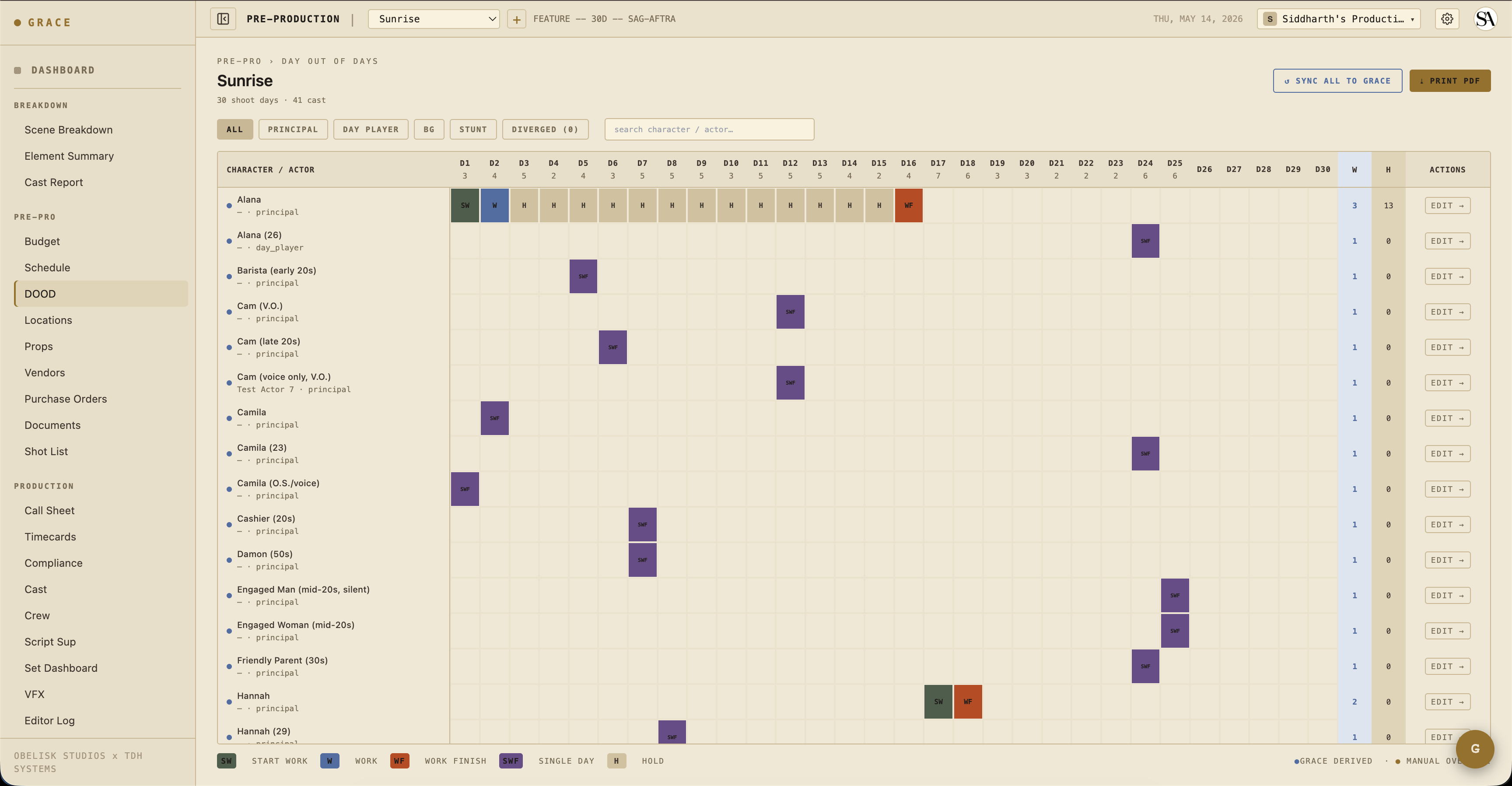
Cast-by-day grid. Each row is a cast member; each column is a shoot day. Cells show "W" (work), "T" (travel), "H" (hold) or blank (off). Computed from cast.workDays and the schedule.
Useful for confirming nobody is scheduled when they shouldn't be (e.g., a minor exceeding daily-hours, an actor with a hold day in their contract).
Locations
/dashboard/pre-pro/locations.
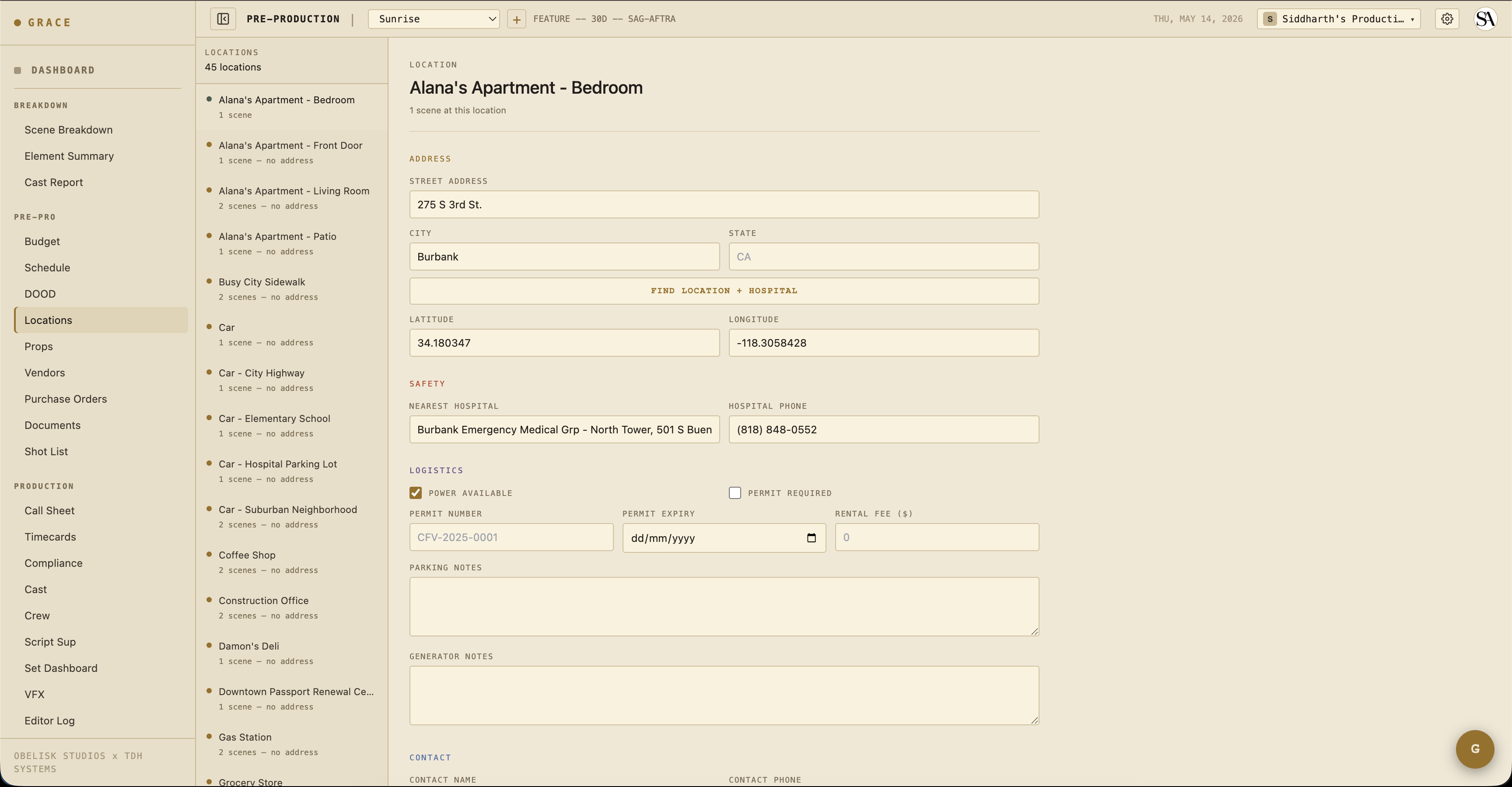
One row per location. Address, geocoded lat/lon (Nominatim, browser-side to avoid rate limiting), nearest hospital (auto-resolved from a "emergency room hospital near {lat,lon}" Google Maps Text Search + blacklist filter), permit info, parking notes, power availability, generator notes, rental fee.
The lat/lon drives the WeatherStrip on the Set Dashboard. The hospital fallback drives the SafetyBulletin emergency contacts strip.
Auto-resolution
When you type an address and tab out, Grace geocodes via Nominatim (free OpenStreetMap service). The result populates lat/lon and resolves the nearest hospital using a name-blacklist filter to skip nursing homes / hospices / urgent-care clinics in favor of an actual emergency room.
Props
/dashboard/pre-pro/props.
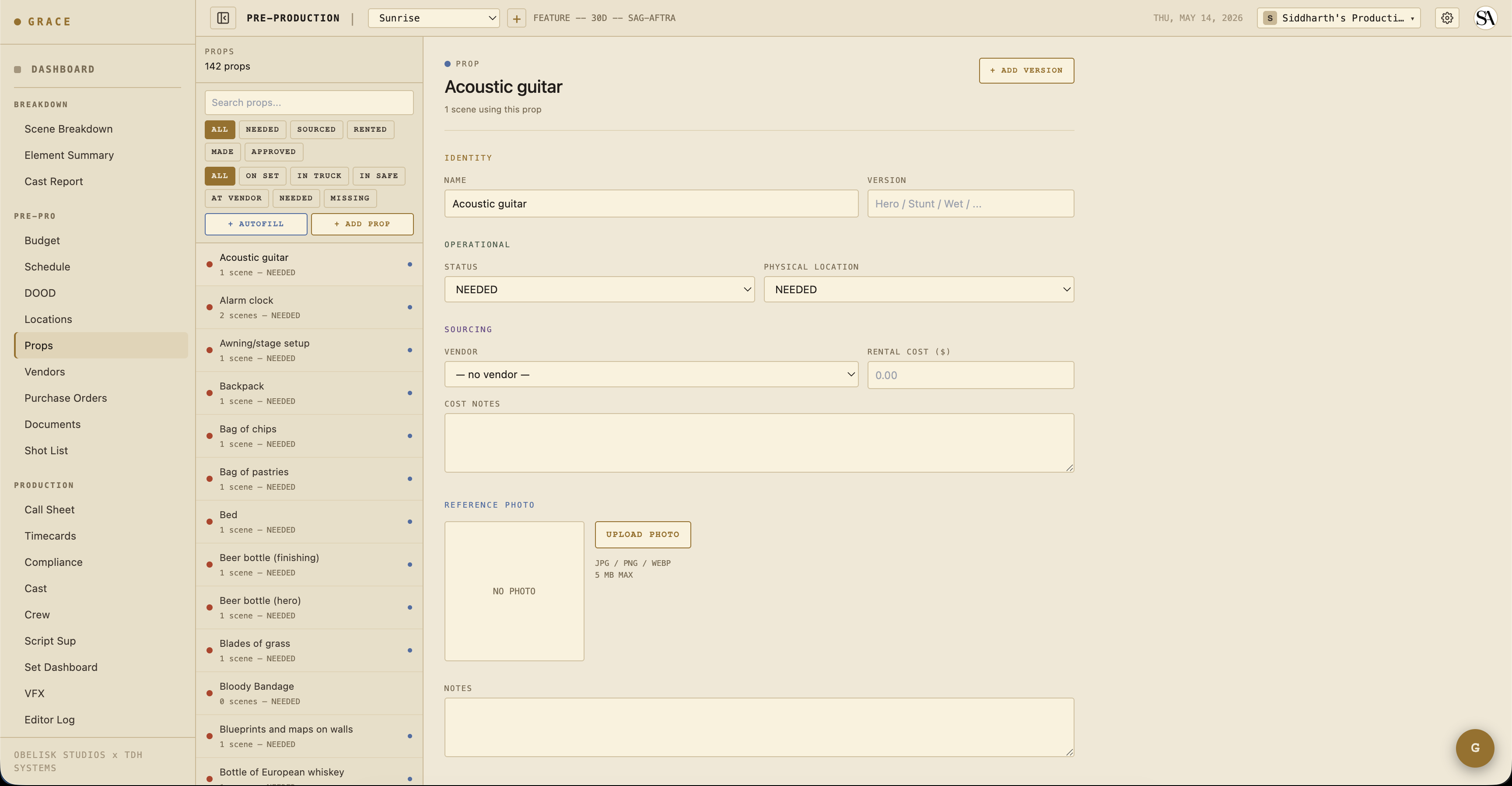
Master inventory of physical props (or prop variants — Hero / Breakaway / Wet / Stunt). Linked to scene elements via case-insensitive name match (no FK — props can be renamed without breaking scene links).
Each prop tracks:
- Name + version type — "Coffee mug" + "Hero" / "Breakaway" / "Wet" etc.
- Physical status — needed / sourced / rented / made / approved.
- Physical location — needed / truck / set / safe / vendor / missing.
- Vendor + rental cost — linked to the vendors master.
- Photo — uploaded reference.
Shot list
/dashboard/pre-pro/shot-list.
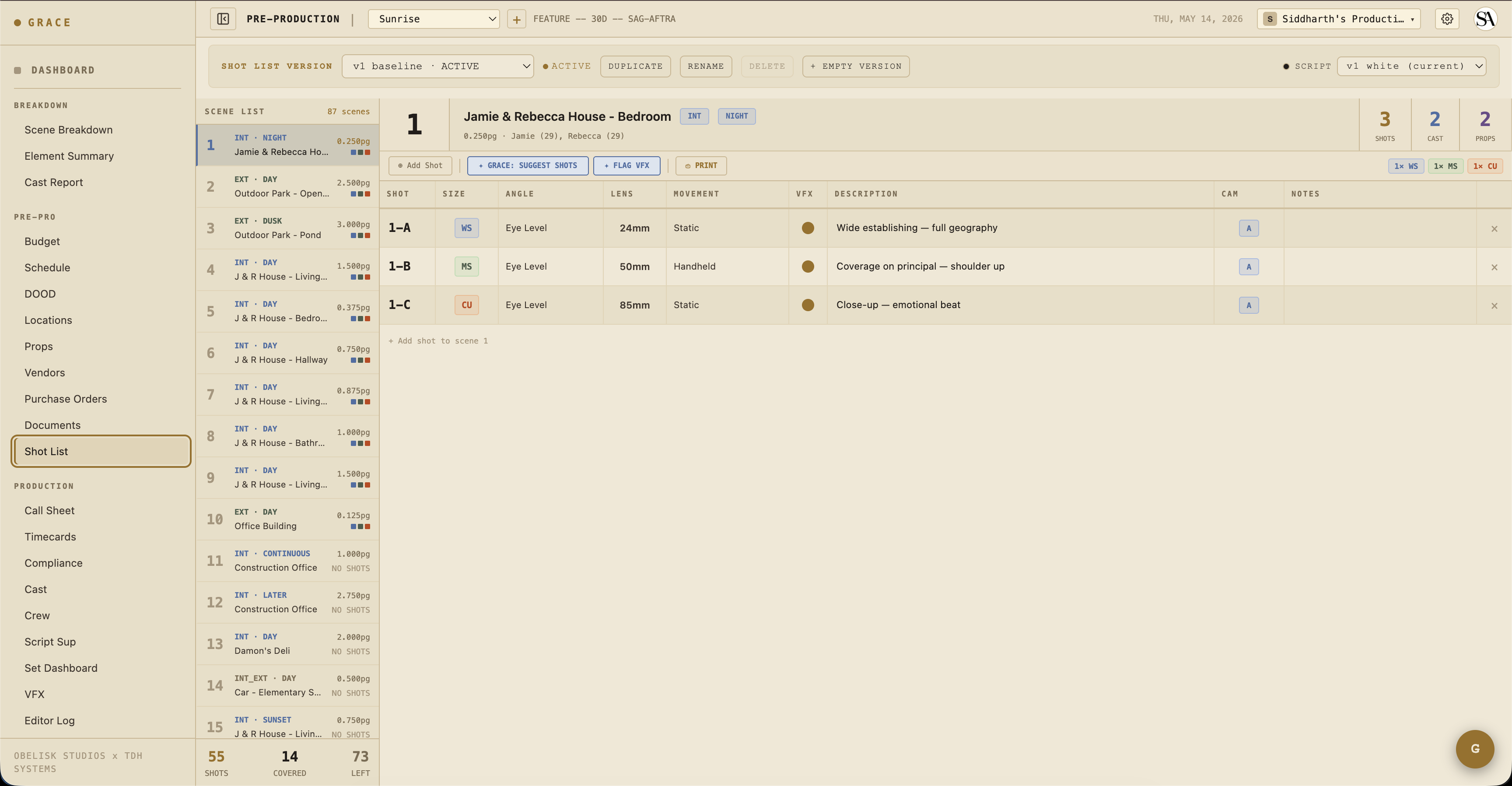
Per-scene shot rows. Each shot has:
- Shot number — 1, 2, 3 within the scene.
- Size — XCU / CU / MCU / MS / MWS / WS etc.
- Angle — eye level / high / low / over-shoulder etc.
- Lens — focal length.
- Movement — static / pan / tilt / dolly / handheld / steadicam etc.
- Camera — A / B / C.
- Description — free text.
VFX shots get an additional vfx_shot_requirements row attached (clean plate, tracking, HDRI, etc.). See VFX flagging + turnover.
Director and DP share this list. Once you start shooting, takes get logged against shots (Script Sup workflow).
Vendors + Purchase Orders
/dashboard/pre-pro/vendors and /dashboard/pre-pro/purchase-orders.
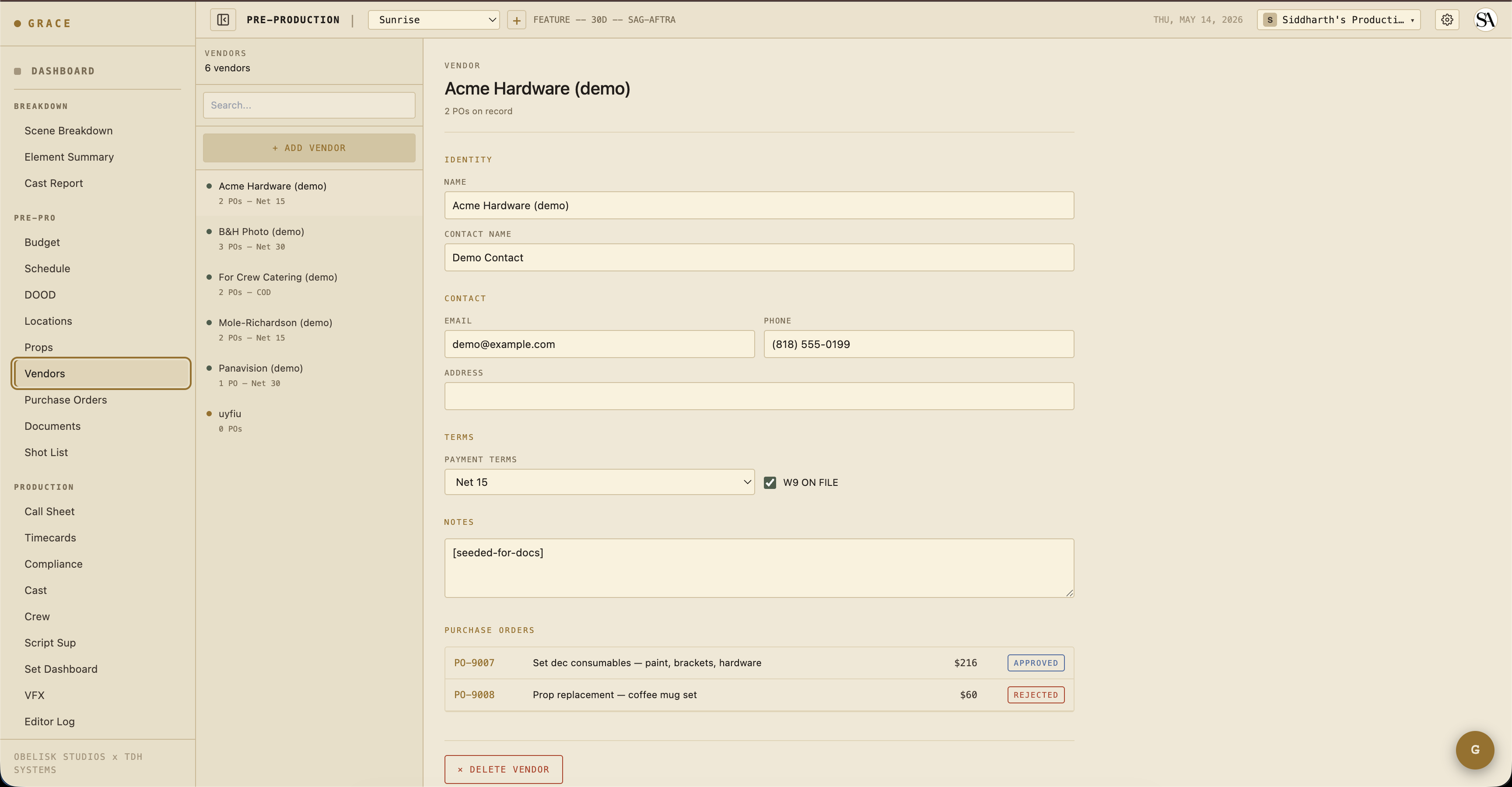
Vendors is the master list — name, contact, payment terms, W-9 status. Used by both props (rental vendor) and POs (vendor for an estimate / receipt).
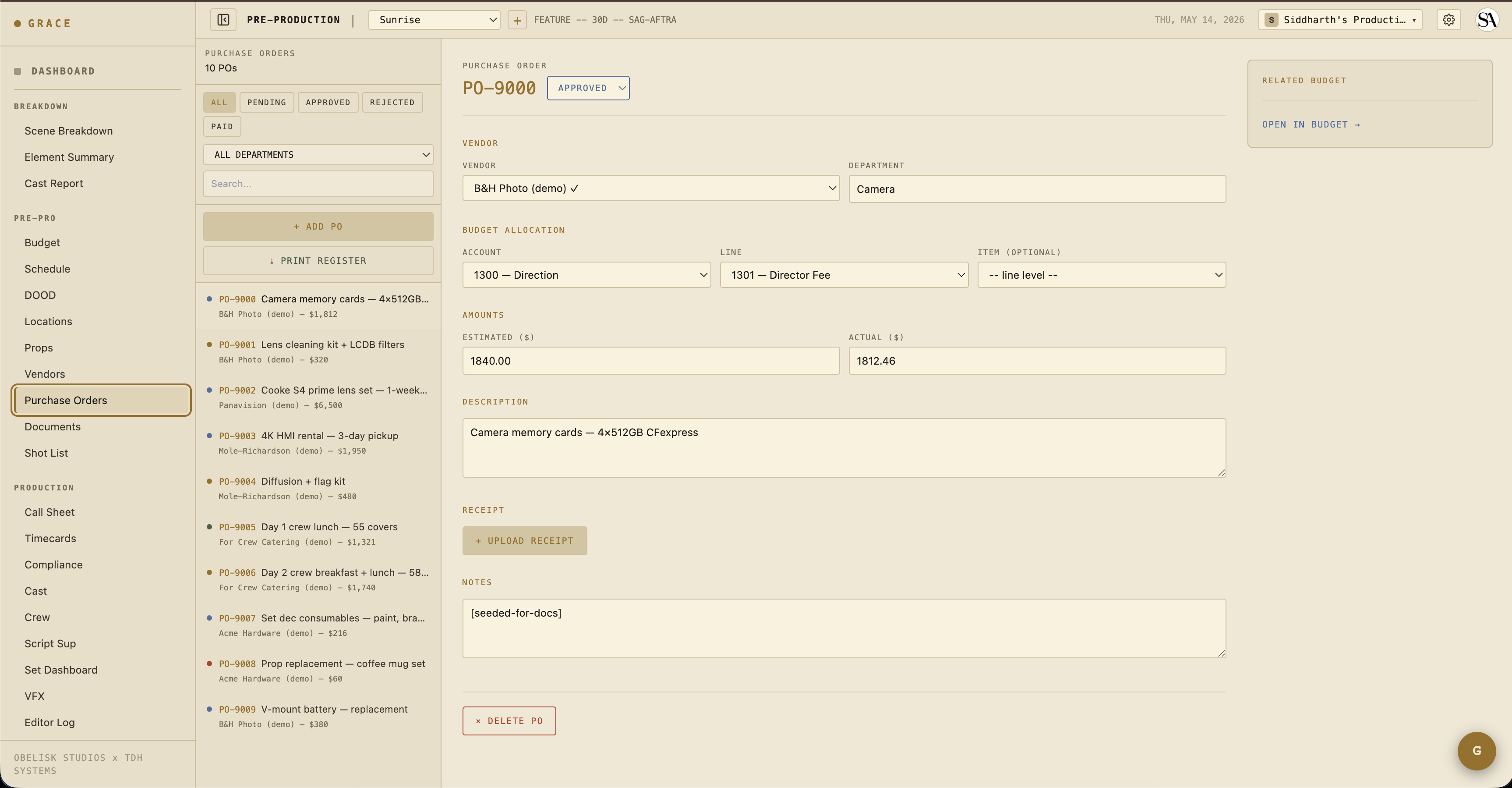
POs are the actual budget commitments. Each PO ties to (account, line, item?) — usually item-specific for clarity. Status cycles pending → approved → paid (or rejected). Estimated amount + actual amount + receipt PDF upload.
POs roll up to budget actuals via computeBudgetActuals() — see the Budget Snapshot dashboard card.
Documents
/dashboard/pre-pro/documents.
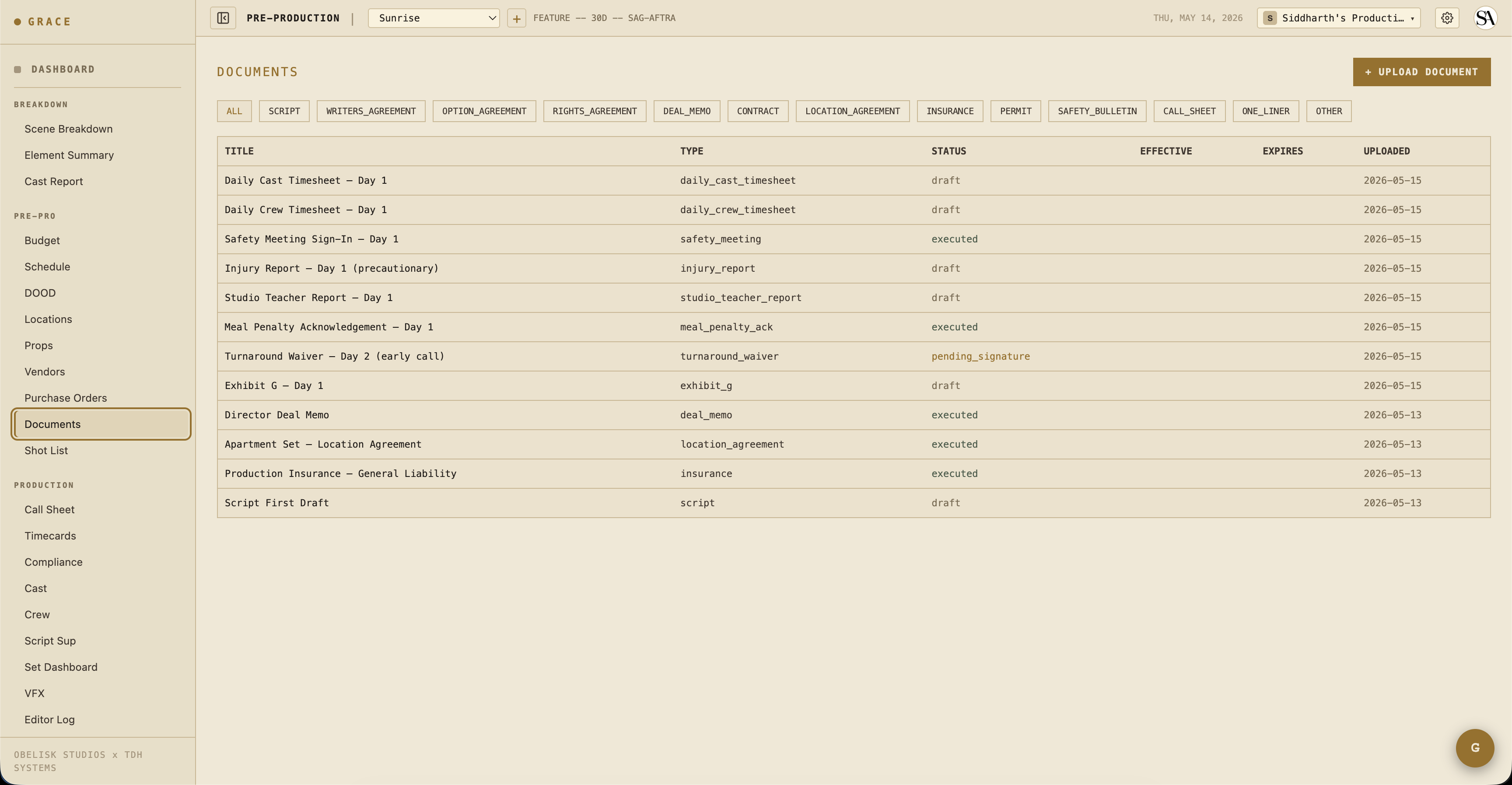
Catch-all for production paperwork: deal memos, location agreements, insurance certs, permits, the script PDF itself, and the 8 compliance documents Grace generates server-side (Exhibit G, turnaround waiver, meal penalty acknowledgment, etc.).
Status cycles: draft → pending_signature → executed → expired/superseded. Documents stay accessible after status changes — you can always pull an executed deal memo even after wrap.
Creative refs
/dashboard/production/creative (in the sidebar this lives under Creative Prep alongside Shot List + Props).
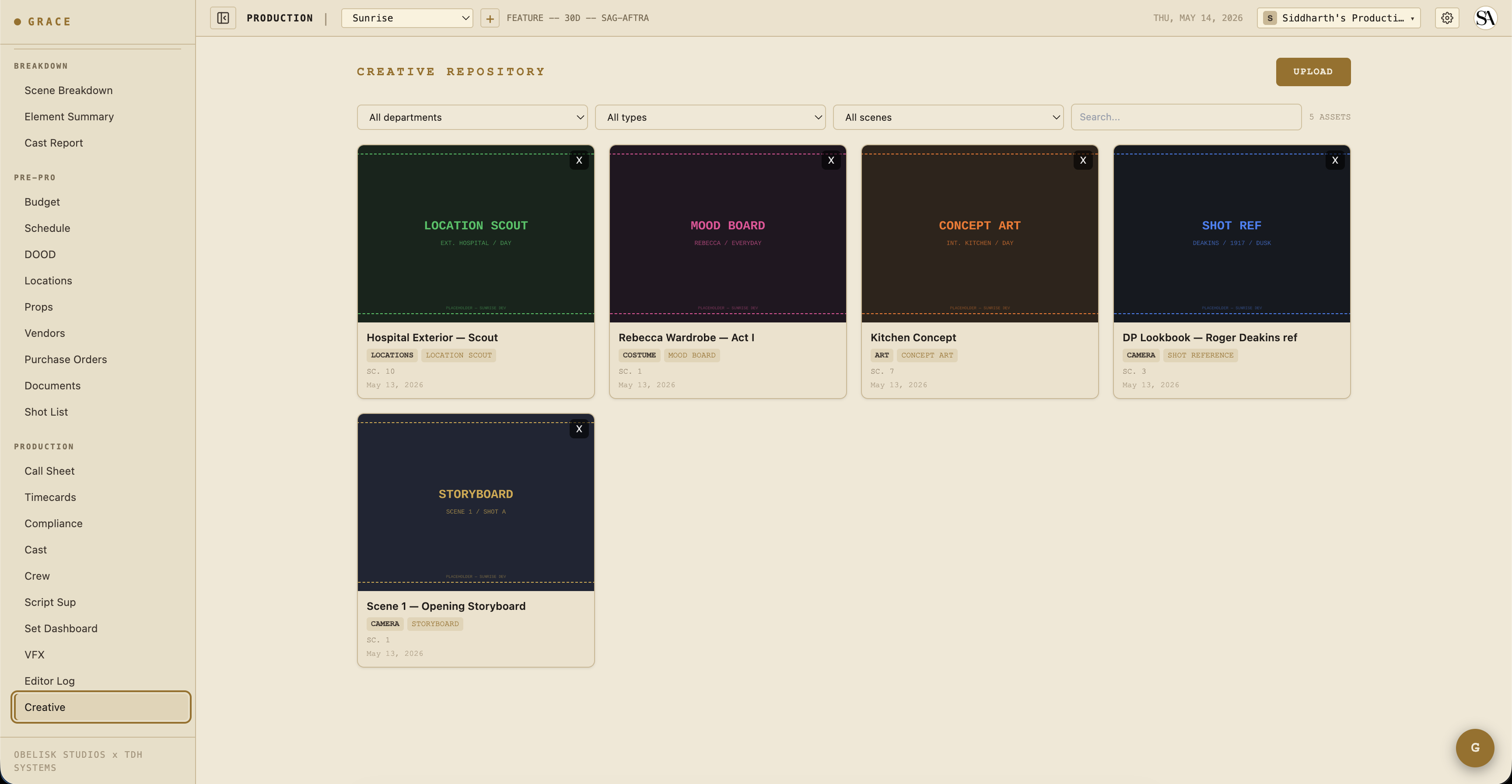
Mood boards, frame references, previs, lookbooks. Per-asset tagging by scene IDs (an asset can reference multiple scenes). Per-department access: T1 gets full access, T2 gets read by default (narrowable to specific departments), T3 capped at read on their own department.
Video / image assets stream progressively so mobile Safari can preview without downloading the whole file.
What's next
Pre-production is iterative — schedule, budget, locations, shot list will all change as you scout, do read-throughs, and lock cast. Once the schedule is firm and you're within a week of shoot start, the 1st AD takes over and starts building call sheets.